AI cyber defence that writes up every alert
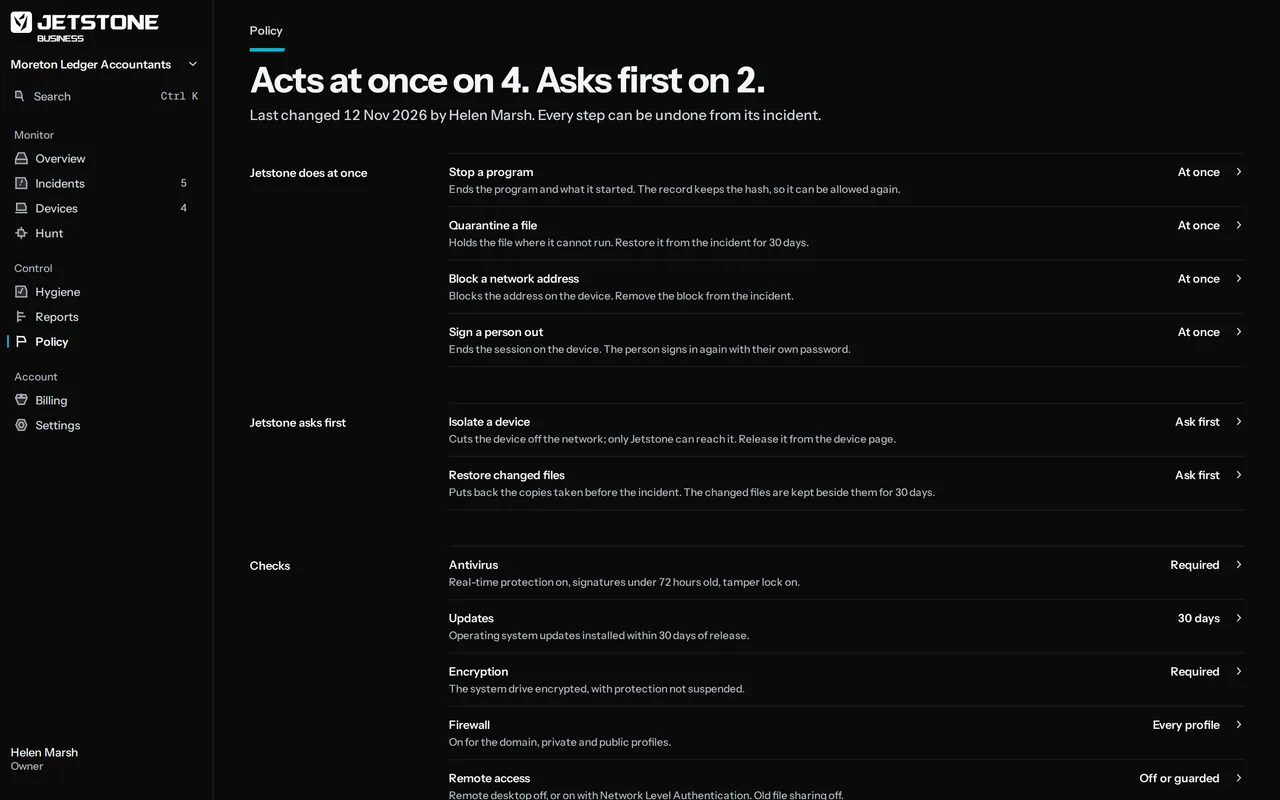
It proposes the response for you to approve. It will act on threats for you, and you choose how much it does on its own.
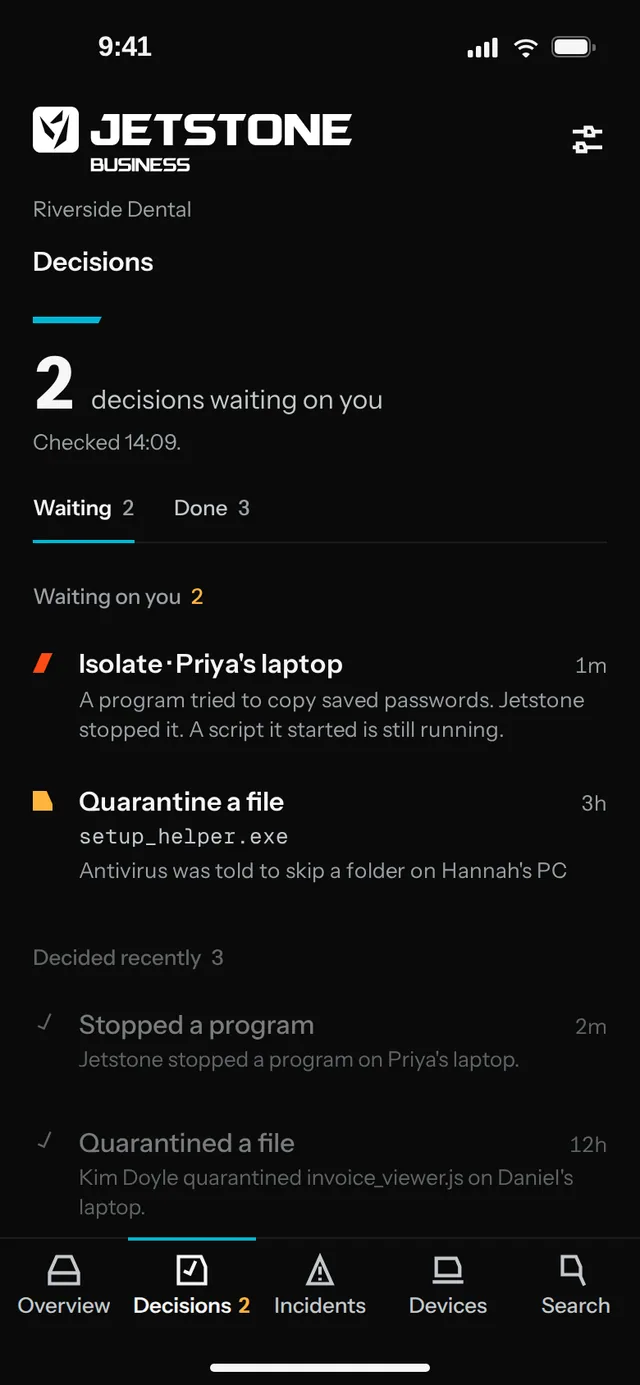
The Business phone app, with sample data.
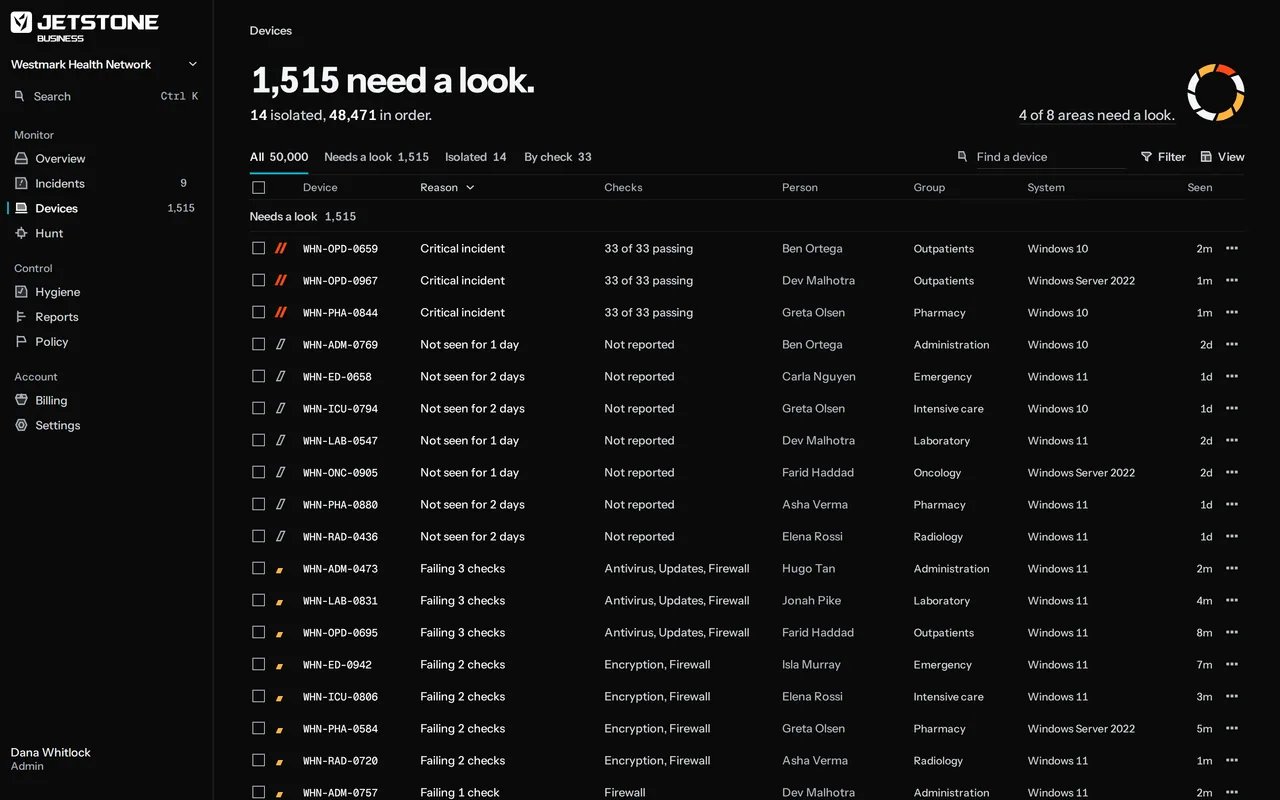
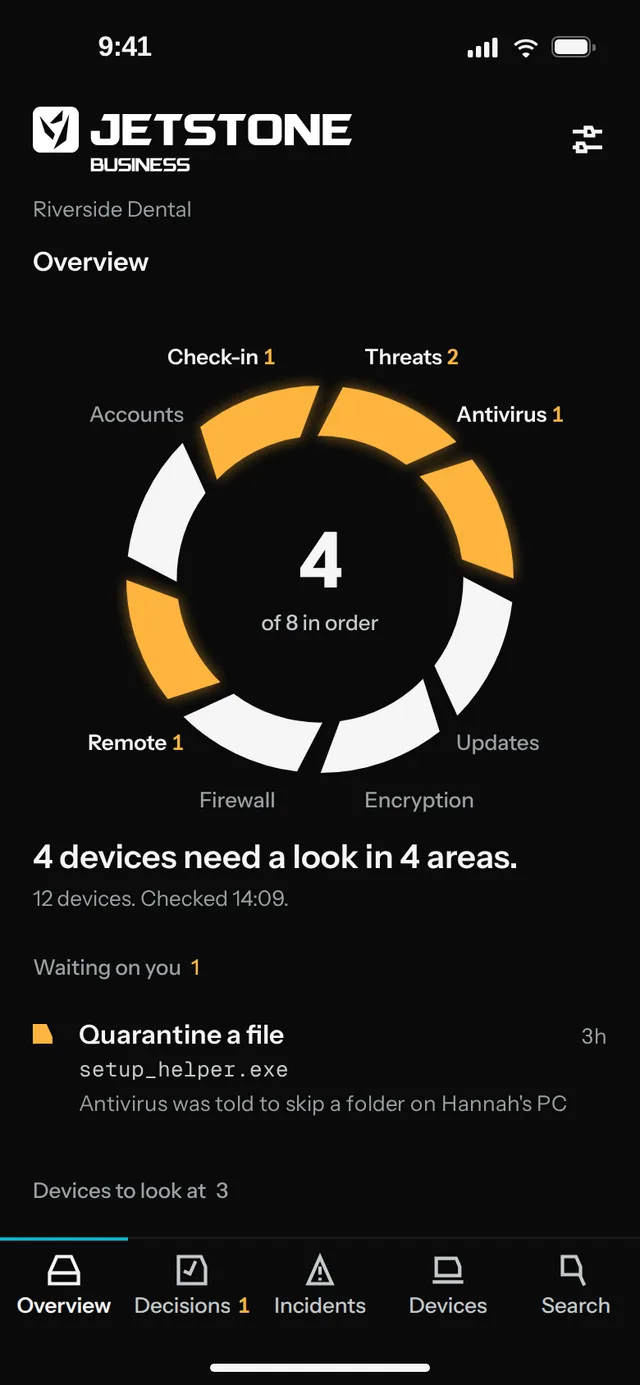
One screen says what needs you
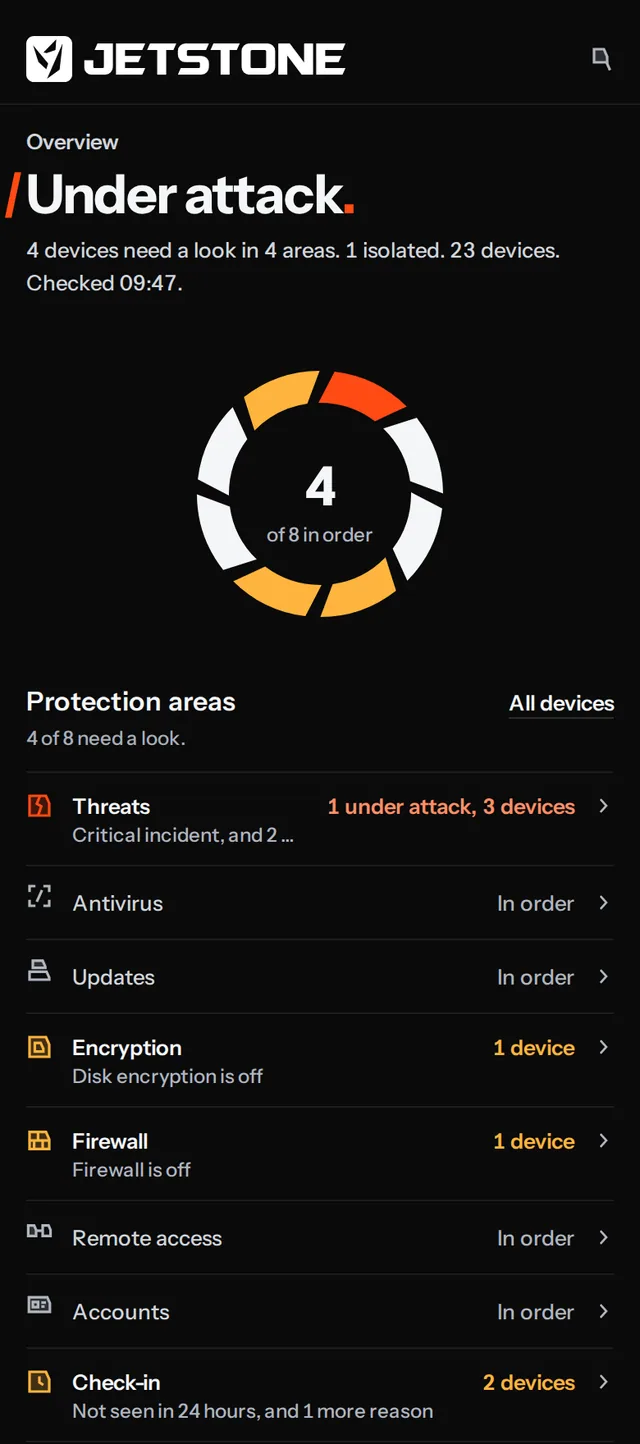
You know what it found
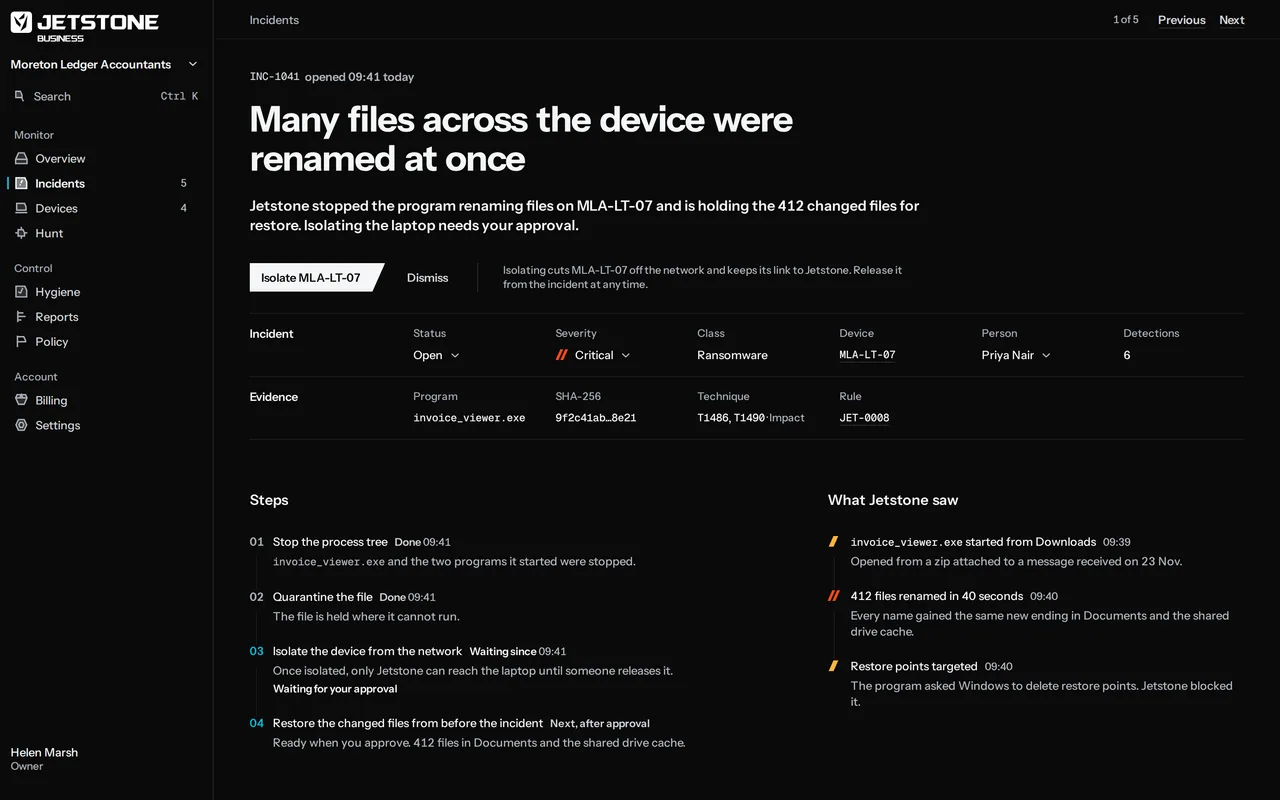
Rules are mapped to MITRE ATT&CK, so each finding names the technique it matched.
Alerts you can read
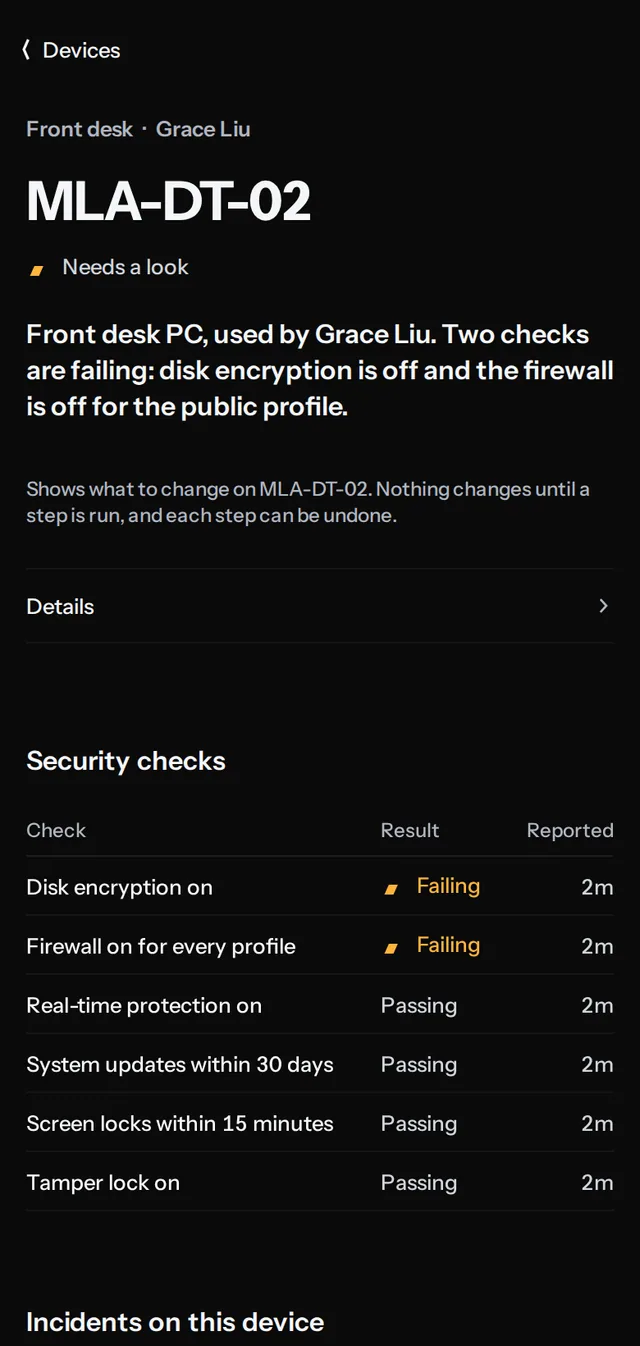
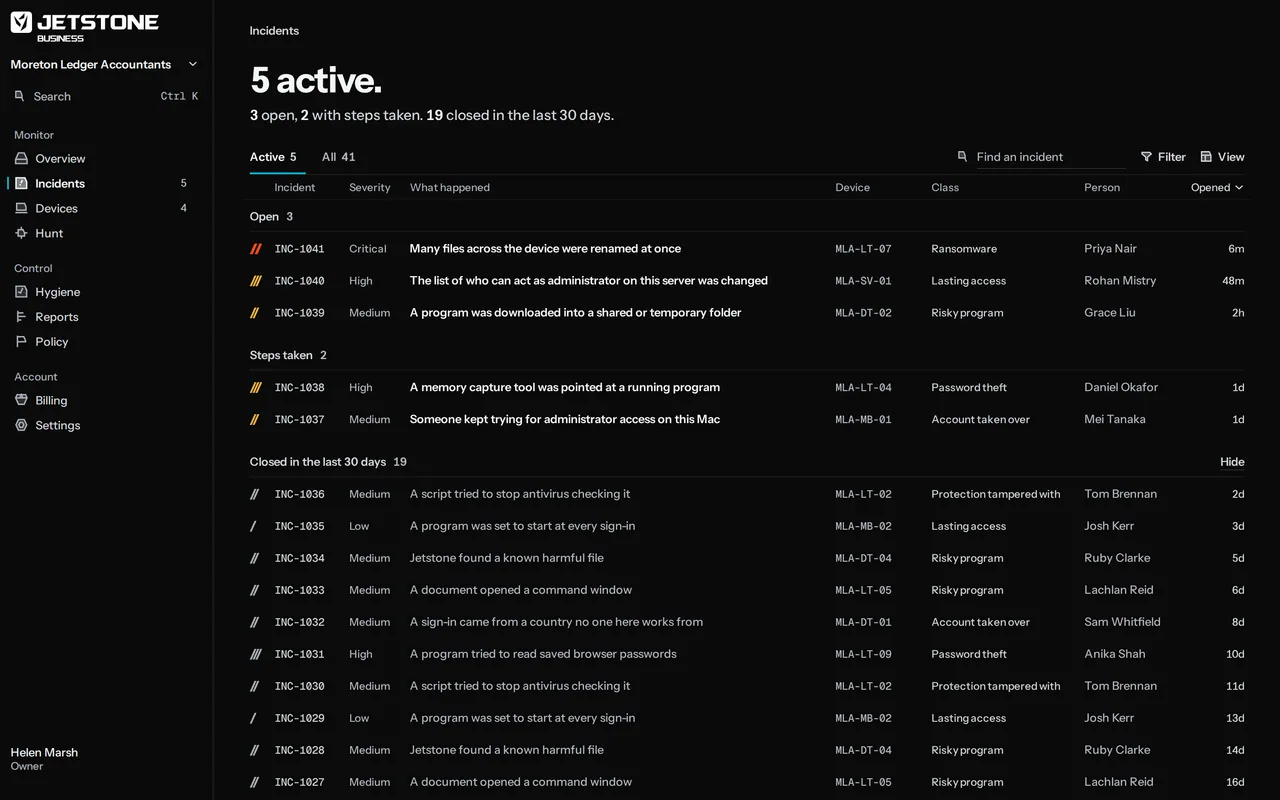
Each says what happened, what Jetstone Business did and what waits on you, in plain English.
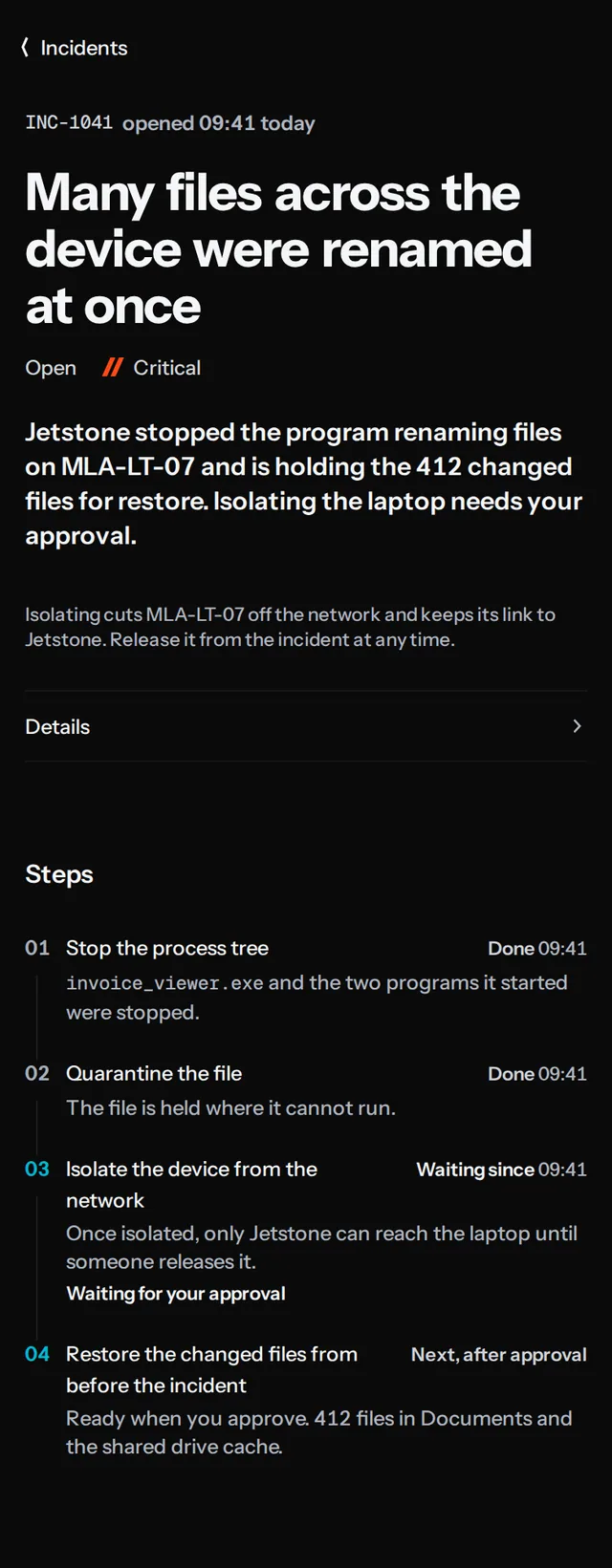
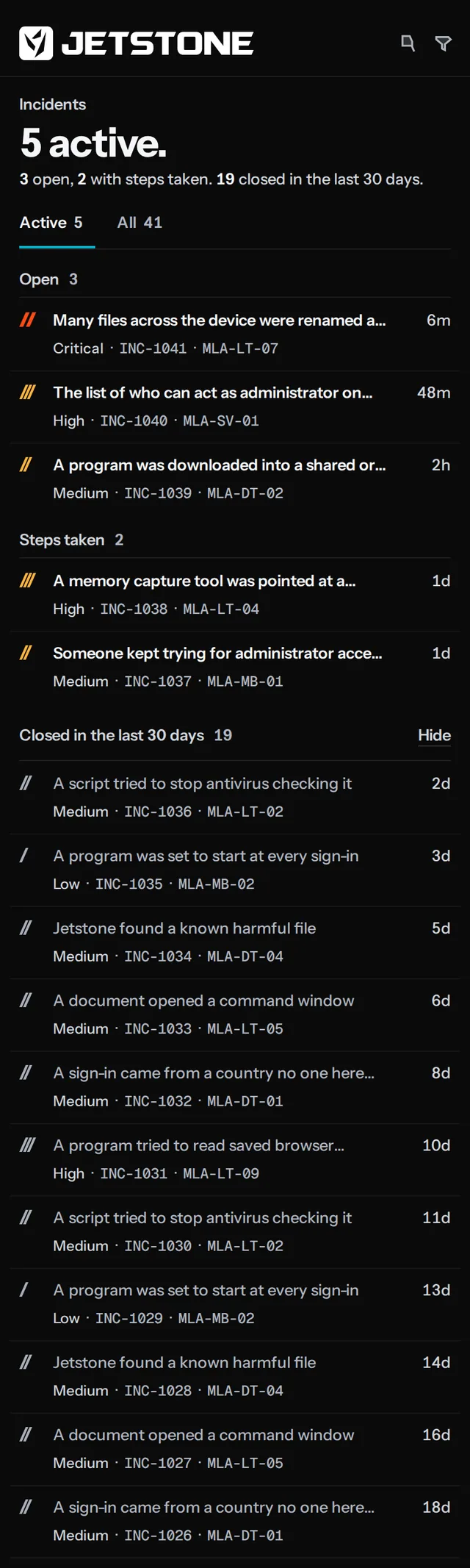
Run it from your phone
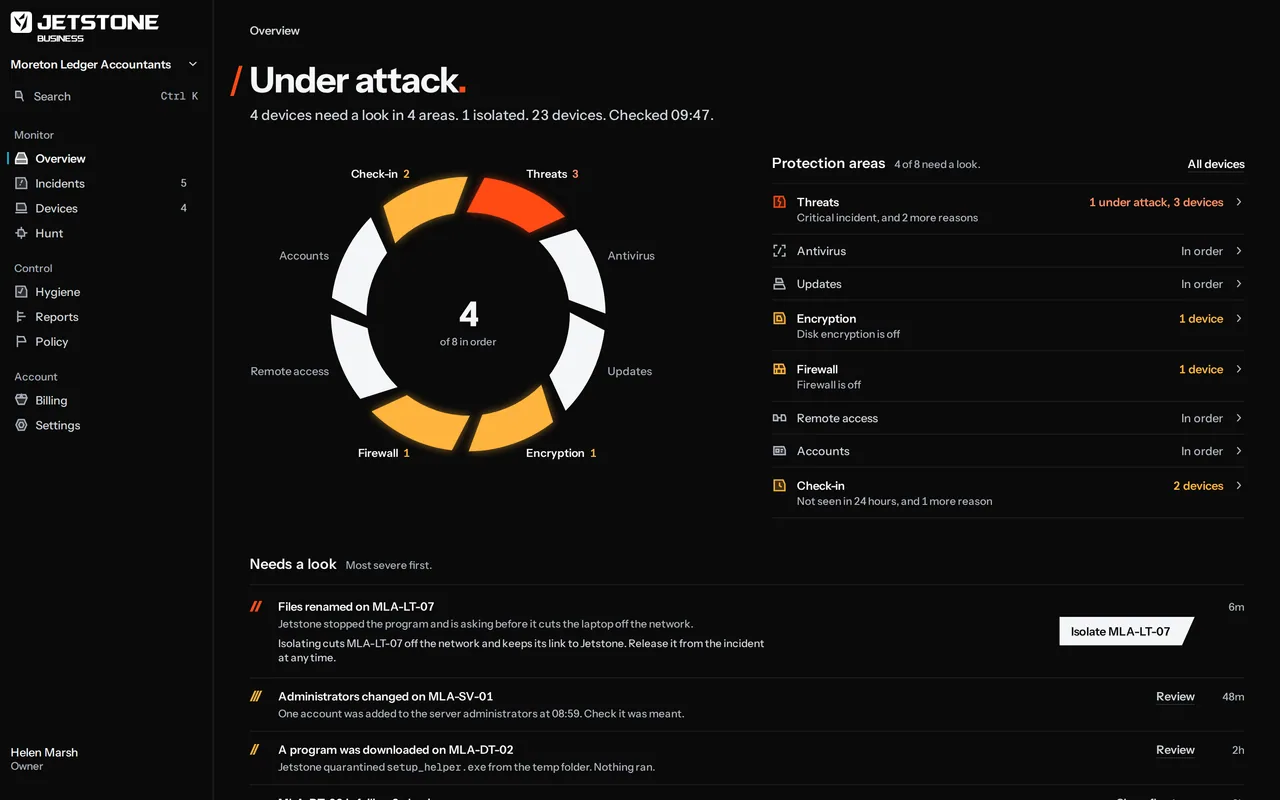
A phone-sized console, a Monday summary and an incident export for a broker or insurer.
Console preview with sample data.
What Jetstone Business does
Easy on your devices
A light agent runs on Windows 10 and 11, and will run on macOS 13 and later.
Threats dealt with for you
It will end the process, quarantine the file, isolate the device or sign the user out.
Suspicious sign-ins flagged
You will see whether a suspect sign-in came from one of your devices.
How Jetstone Business responds
Jetstone Business is designed to stop the attack, then tell you what happened.
Every automatic action will be undoable in one tap.
Detected
Jetstone Business spots the activity on the device and opens an incident.
Scored
It will score the finding and act on its own only at high confidence.
Process ended
Jetstone Business will stop the process behind the activity.
File quarantined
The files the attack brought in will be locked away.
Device isolated
The device will be cut off from the network until you release it. Updates will still reach it.
Reported
You will get the incident in plain English. Anything left for you will arrive as a card to approve or dismiss.
It will watch your sign‑ins as well as your devices
It will flag signs of a stolen account, such as impossible travel or a malicious inbox rule.
You can sign a flagged user out of Microsoft 365 in one tap. Google Workspace will work the same way.
Each flag will tell you who signed in, from where and on which device.
Built for the systems you already run
Install Jetstone Business on each PC and connect Microsoft 365 with one approval. Macs and Google Workspace will join the same way.
Devices, Sign-ins, Detection, Your console
Devices and sign-ins
Jetstone Business agent. One approval from you.
Windows
A light agent on each device
macOS
The same light agent
Microsoft 365
Sign-ins, inbox rules and app consents
Google Workspace
Sign-ins and session sign-out
Jetstone Business
Detection. Runs in Australia.
Rules
Scoring
Write-ups
Your console
Every incident, device and sign-in in one place.
Jetstone Business is sold per device per year as software. Built for any organization, from one device up.
Whitepaper: Jetstone Business: the agent, detection, response and undo model
Choose what runs on its own
Three presets, Watch, Guard and Lockdown, each with fixed isolation limits.
Compare Watch, Guard, Lockdown
| Action | WatchIt will report what it finds and wait for you. | GuardDefaultIt will act on threats from a published list and ask you about the rest. | LockdownIt will act on its own at a lower confidence than Guard, and isolate for more kinds of attack. |
|---|---|---|---|
| End a process and quarantine the file | Asks youWaits for your tap | On its ownOn its own at high confidence | On its ownOn its own at a lower confidence than Guard |
| Isolate a device | Asks youWaits for your tap | On its ownOn its own for ransomware or credential theft | On its ownOn its own, for lateral movement and account compromise too |
| Sign a user out | Asks youWaits for your tap | On its ownOn its own when compromise is confirmed | On its ownOn its own when compromise is confirmed |
| Medium-confidence detections | Tells youReported to you | Asks youAn approve or dismiss card | On its ownOn its own at a lower confidence than Guard |
| Low-confidence detections | Tells youReported to you | Asks youAn approve or dismiss card | Asks youAn approve or dismiss card |
Automatic isolation will run inside set limits, and past them Jetstone Business will wait for a person.
Where your data is held
Australia
Built in Australia. Data is held in Australia.
Telemetry, detections, incidents and the console are hosted in Australia, on private network endpoints, under a policy that denies resources outside it.
Raw device telemetry
Write-once storage, never copied out of the region, unchangeable for 12 months.
Incident write-ups
A model deployment in the same region. Global deployments are denied by policy.
Quarantined files
Quarantined files stay on the device that quarantined them and are never uploaded.
Certifications held
- SMB1001:2026 Gold
- Essential Eight Maturity Level 3 across all eight strategies
Questions about Jetstone Business
Ask us anything else.
Is Jetstone Business available now?
Yes. Jetstone Business is in service. Create a workspace online and your trial starts at once.
Will it act without asking us?
Only on threats from a published list, and no further than the preset you choose.
How is it sold?
Per device per year, as software, on the Core, Plus or Complete plan.
Start your 14-day trial
Jetstone Business writes up every alert for you and will sum up the week each Monday.