Is this a scam? Ask Jetstone AI.
Paste a message or a link and Jetstone answers with a verdict and the reasons behind it. Jetstone also blocks scam and phishing sites and checks your phone, your Wi-Fi and your passwords.
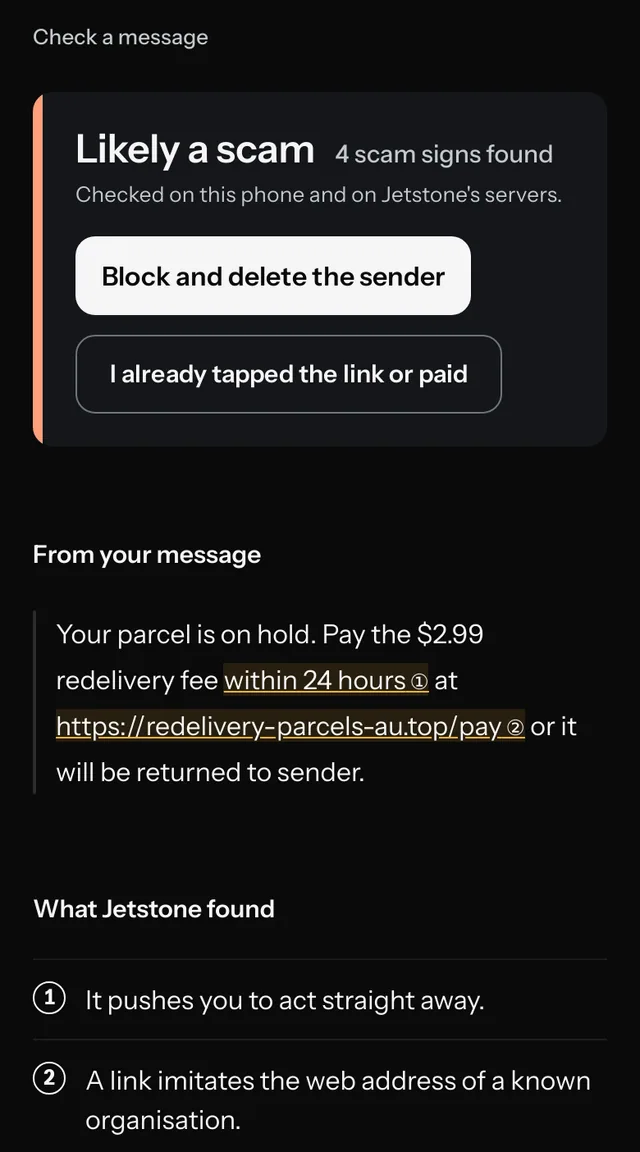
App preview with sample data.
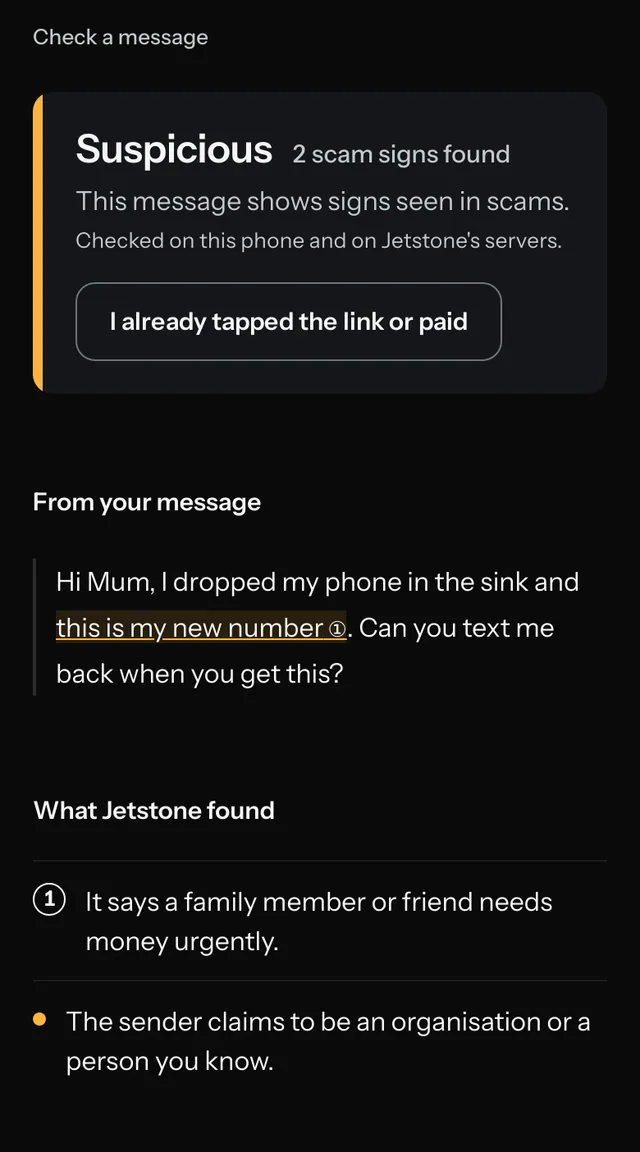
Ask whether a message is a scam
Jetstone reads a text, an email or a link for scam signs and answers with one of three verdicts, each with its reasons and the next step to take.
- Three plain verdicts
- Likely a scam, Suspicious, or No scam signs found. Each one tells you what to do next.
- The signs it found
- Each verdict lists what raised it, such as a web address that imitates a brand, a request for a gift card or a sign-in code, or pressure to act now.
- A first answer at once
- The phone checks the message the moment you paste it, with or without a connection.
- Then AI reads it
- With your agreement, Jetstone AI reads the message for the signs a rule can miss and can raise the verdict. It never lowers one.
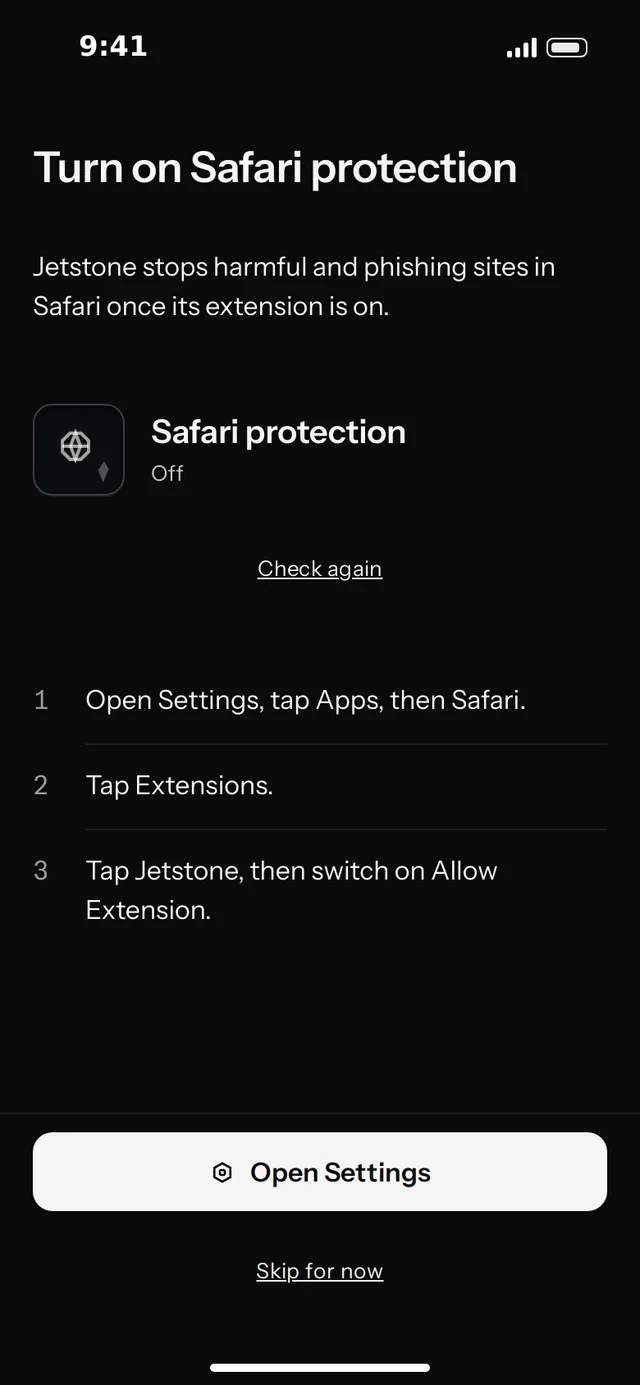
Scam sites blocked, on the phone itself
Jetstone carries a signed list of known scam, phishing and malware sites and blocks them as you browse. A new list is published every day.
- On iPhone
- Jetstone protects Safari, and the app shows you whether protection is switched on.
- On Android
- Protection works across the phone, in your apps as well as your browser.
- Your browsing stays yours
- Addresses are matched on the phone itself. The sites you visit are never sent to Jetstone.
- You decide
- When a site is blocked on Android, a notification names it, and one tap allows a site you trust.
Your phone, your Wi-Fi and your passwords, checked
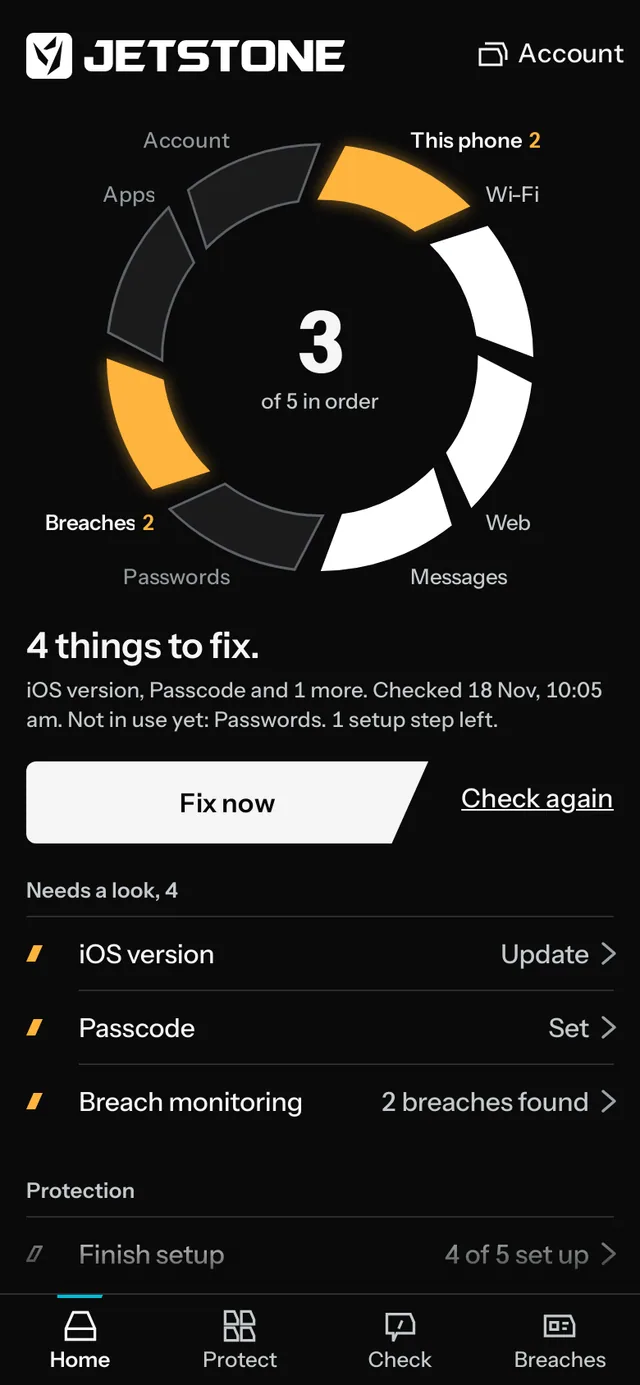
The app's Home screen draws its protection areas on one ring, each with its count.
Your phone and your Wi-Fi, checked in one tapTap Protect this phone and Jetstone checks the settings that leave a phone open, then tests the Wi-Fi network you are on.
- Your phoneIs the system up to date, is there a screen lock, and has the phone been rooted or jailbroken. On Android, Jetstone also checks encryption and developer options.
- Your Wi-FiJetstone tests the network for a sign-in page sitting in the way, for a device reading your encrypted traffic and for tampered web lookups.
- No location neededThe Wi-Fi checks run without the location permission.
The apps on your Android phone, checkedJetstone compares each installed app and its signer with a signed list of known bad apps.
- Where it came fromAn app installed from outside the store is flagged with its source.
- What it can doRisky combinations of permissions and accessibility access are called out.
- Play ProtectJetstone checks that Google Play Protect is switched on.
- Your app list stays putThe scan runs on the phone. The list of apps you have installed never leaves it.
Know when a password has been exposedType a password and Jetstone tells you whether it has appeared in a known data breach.
- The password stays with youThe password is scrambled on your phone and only the first five characters of the scramble are sent, so the password itself never leaves the phone. Nothing is stored.
- Your email addressAdd your email address, confirm it with a six-digit code, and Jetstone checks it against known breaches.
Every finding comes with the fixEach finding is explained in two sentences, with a guide to fixing it on your phone.
- Straight to the settingOn Android, the guide’s button opens the exact settings screen. No searching through menus.
- Written for your iPhoneOn iPhone, the guide gives the path for your version of iOS.
More from Jetstone
Everything else the app checks
- Check a message for scamsPaste a message or a link and get a verdict with its reasons.
- Web protectionKnown scam, phishing and malware sites are matched on your phone and blocked.
- Phone and Wi-Fi checkOne tap checks your phone’s settings and the Wi-Fi network you are on.
- App checkEach installed app is compared with a signed list of known bad apps.
- Password and breach checkFind out whether a password has appeared in a known data breach.
- Fix guidesEach finding comes with what it means and how to fix it on your phone.
- Jetstone on iPhoneMessage checks, Safari protection and guides for your version of iOS
- Jetstone on AndroidCheck text from any app, web protection across the phone and app scanning
Free to Family
Start free, or pick a plan for one device, three devices or the whole family. Personal, Personal 3 devices and Family start with 3 months free to 28 February 2027.
- Free1 phone or tablet
- Mobile Only1 phone or tablet
- Personal1 phone, tablet or computer
- Personal 3 devicesUp to 3 phones, tablets or computers
- FamilyUp to 6 people on 6 devices
Questions about Jetstone
Ask us anything else.
When does Jetstone launch?
On 14 December 2026, on the App Store and Google Play worldwide.
Do I need an account?
No. Open the app and tap Protect this phone. The first checks run with no account and no sign-up.
What happens to a message I check?
The phone checks it first. With your agreement it then goes to Jetstone AI with card, account and other long numbers taken out, and Jetstone stores no message or link you check.
Does Jetstone see the sites I visit?
No. Addresses are matched on the phone itself, and the sites you visit are never sent to Jetstone.
How do Jetstone and Jetstone Business differ?
Jetstone, the phone app, protects your own iPhone or Android phone. Jetstone Business is AI cyber defense software for an organization’s computers and sign-ins.
Get Jetstone on launch day
Put your name down and we will send you the App Store and Google Play links on 14 December 2026.