

Small business protection

Scam protection
Jetstone reads a text, an email or a link for scam signs and gives you a verdict with its reasons. It runs on your iPhone or Android phone.
Jetstone
It comes as a message, a link, a network you join or a password that has leaked. Jetstone checks each one.
Jetstone reads a text, an email or a link for scam signs and answers with one of three verdicts, each with its reasons and the next step to take. AI scam checker
Jetstone carries a signed list of known scam, phishing and malware sites and blocks them as you browse. A new list is published every day. Scam and phishing protection
Tap Protect this phone and Jetstone checks the settings that leave a phone open, then tests the Wi-Fi network you are on. Device and Wi-Fi safety
Jetstone compares each installed app and its signer with a signed list of known bad apps. Android app scanning
Type a password and Jetstone tells you whether it has appeared in a known data breach. Identity and breach monitoring
Each finding is explained in two sentences, with a guide to fixing it on your phone. Plain-language guidance
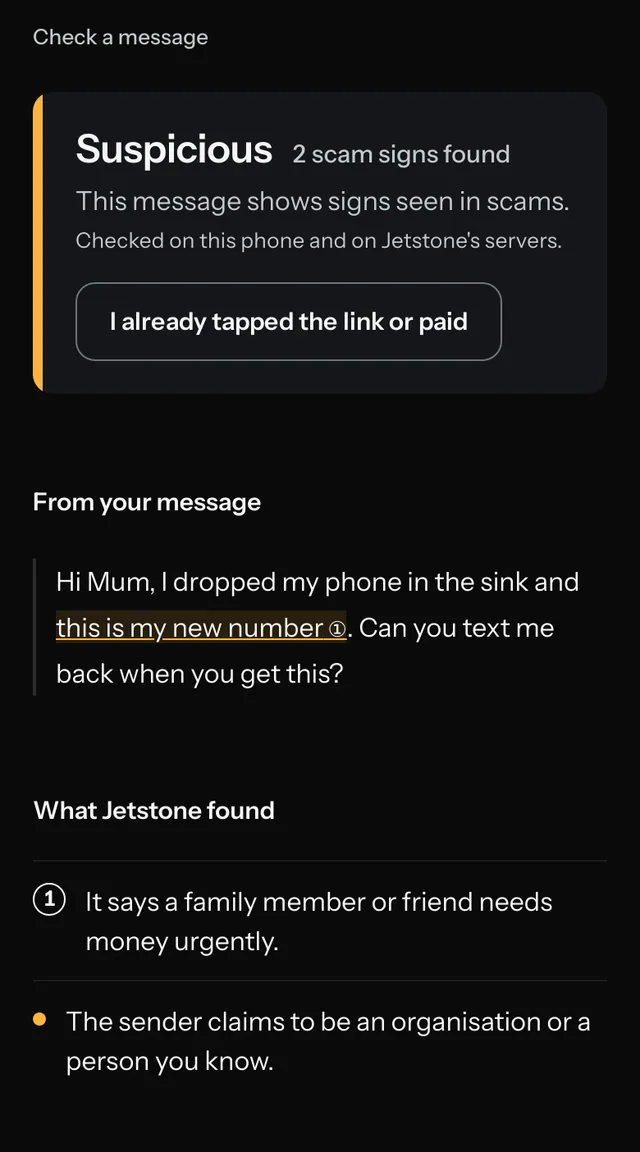
Jetstone reads a text, an email or a link for scam signs and answers with one of three verdicts.
Likely a scam, Suspicious or No scam signs found. Each verdict comes with its reasons.
How checking a message works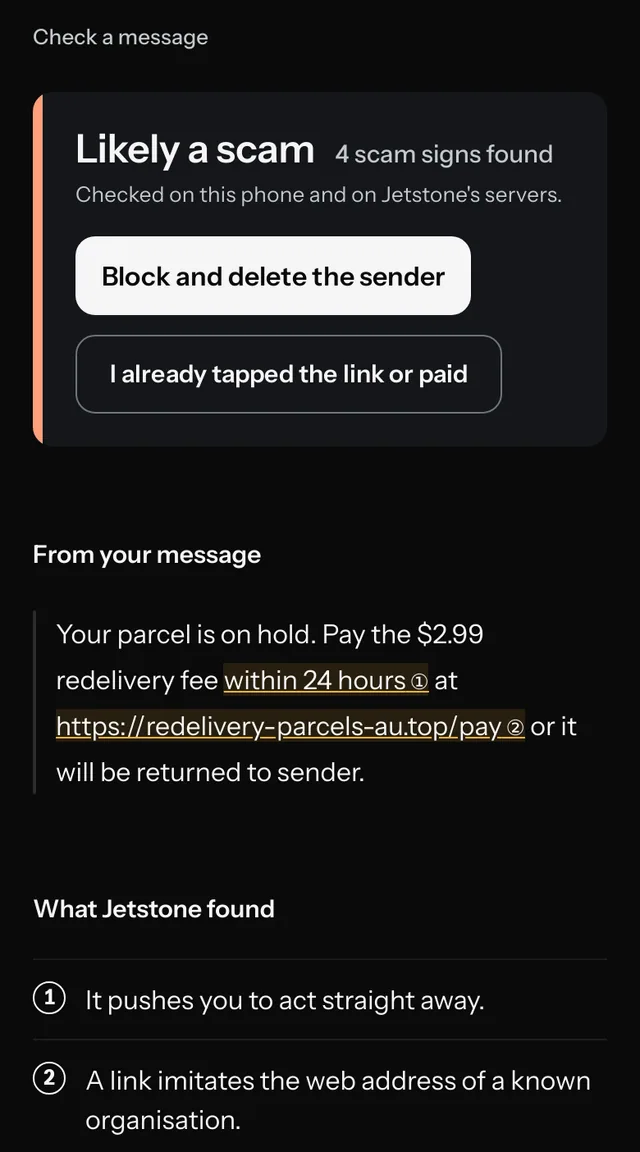
How it works
The first checks run with no account. Jetstone answers the moment you paste a message.
Open Jetstone
Open Jetstone and tap Protect this phone. The first checks run with no account and no sign-up, and nothing is sent before you tap.
Paste the message
The phone checks the message the moment you paste it, with or without a connection.
Read the verdict
Likely a scam, Suspicious, or No scam signs found. Each one tells you what to do next.
Fix what it finds
Each finding is explained in two sentences, with a guide to fixing it on your phone.
On 14 December 2026, on the App Store and Google Play worldwide.
No. Open the app and tap Protect this phone. The first checks run with no account and no sign-up.
The phone checks it first. With your agreement it then goes to Jetstone AI with card, account and other long numbers taken out, and Jetstone stores no message or link you check.
No. Addresses are matched on the phone itself, and the sites you visit are never sent to Jetstone.
Jetstone, the phone app, protects your own iPhone or Android phone. Jetstone Business is AI cyber defence software for an organisation’s computers and sign-ins.
Go deeper
Small business protection

Under attack

Compliance deadline

Tender readiness

Secure build
Put your name down and we will send you the App Store and Google Play links on 14 December 2026.